
Service providers
Keep project terms and costs close at hand, so you can judge whether a similar job makes sense.
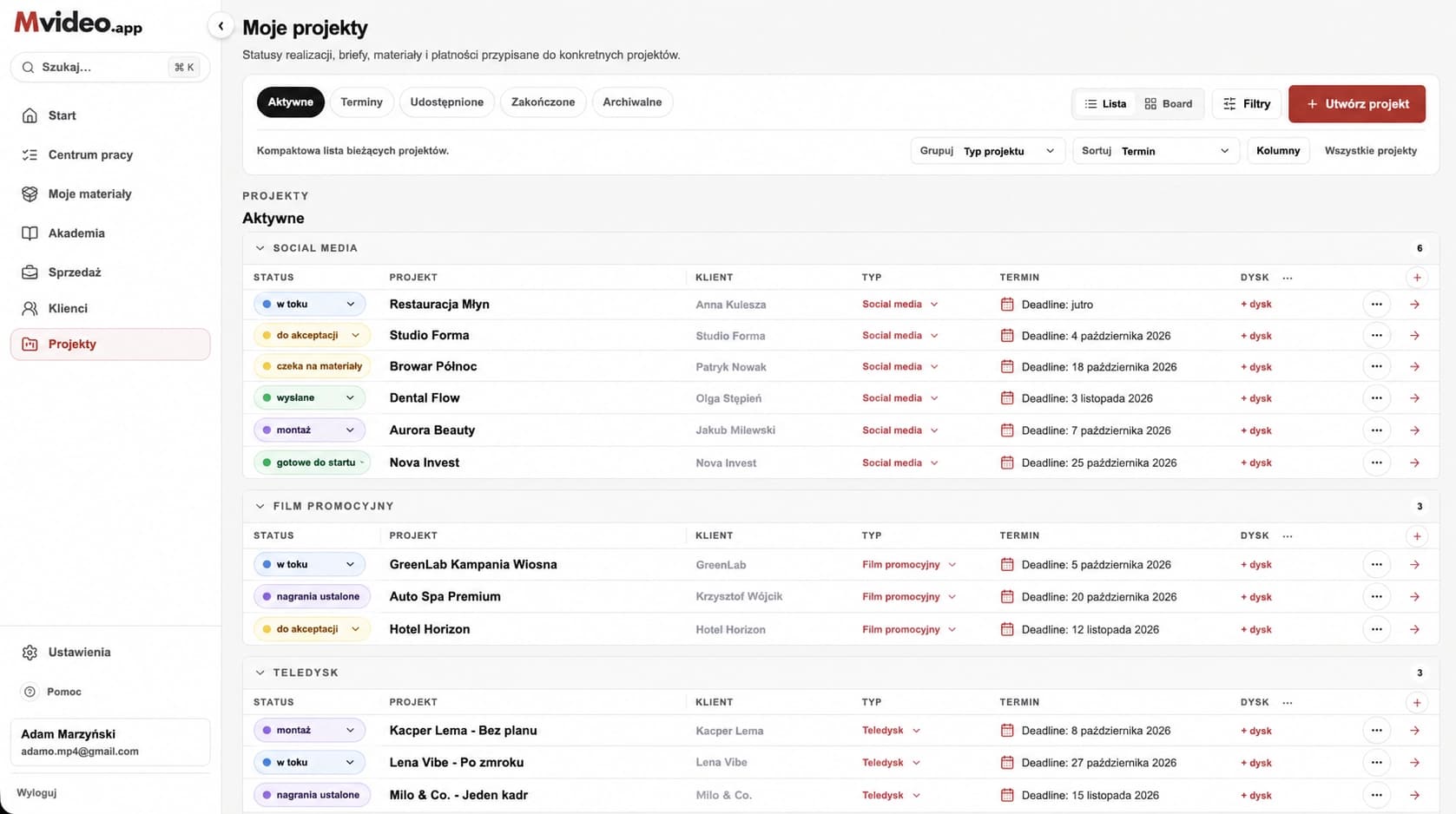
Mvideo App combines project terms, tasks, deadlines, materials, and payments in one place. It automatically totals entered financial data to help you make better decisions faster.
No card required. Start with one project.
How it works
A brief demo of working with a project, client, and project terms.
respondents indicated they spend too much time searching for information needed to work.
SourceYour project workspace
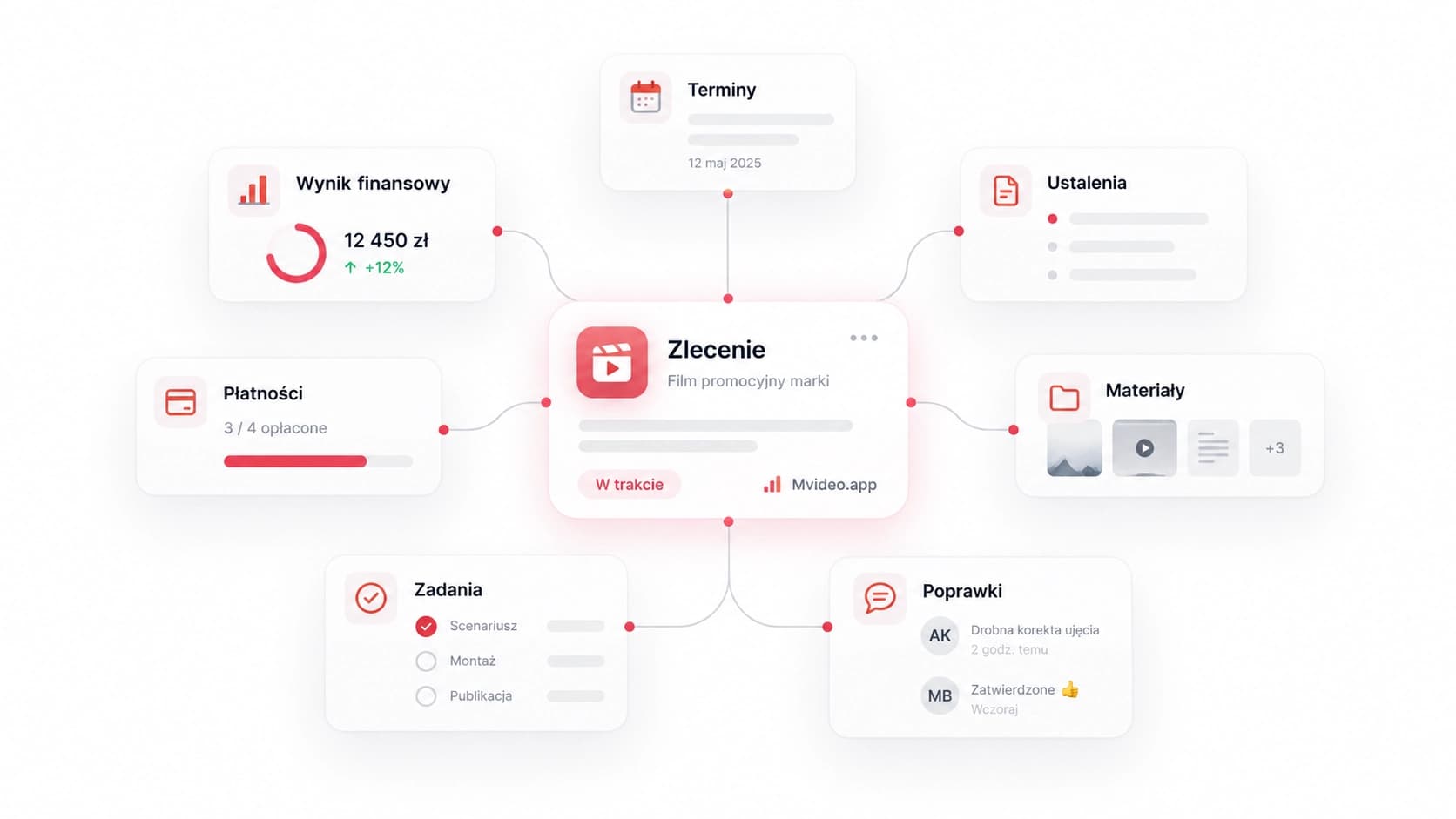
Project terms, deadlines, files, tasks, revisions, and payments stay with the same project. Open it to see where things stand.
See what is due, when, and what needs your attention.
Client Portal
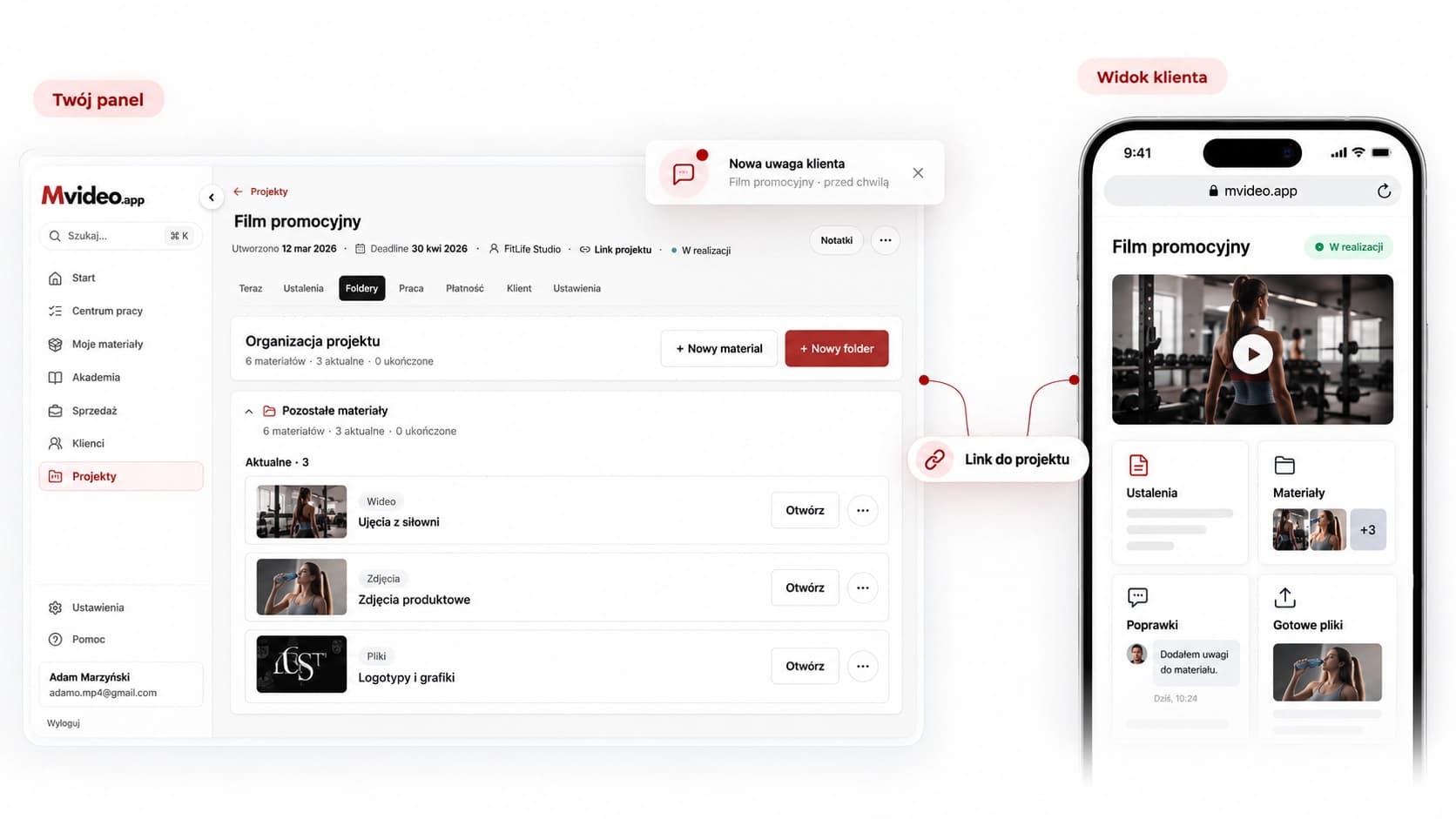
You send a project link. The client has easy access to shared project terms, materials, and final files. They can return to leave feedback, which you see attached to the correct order.
You both know where to look. No more "can you resend that?"
Project finances
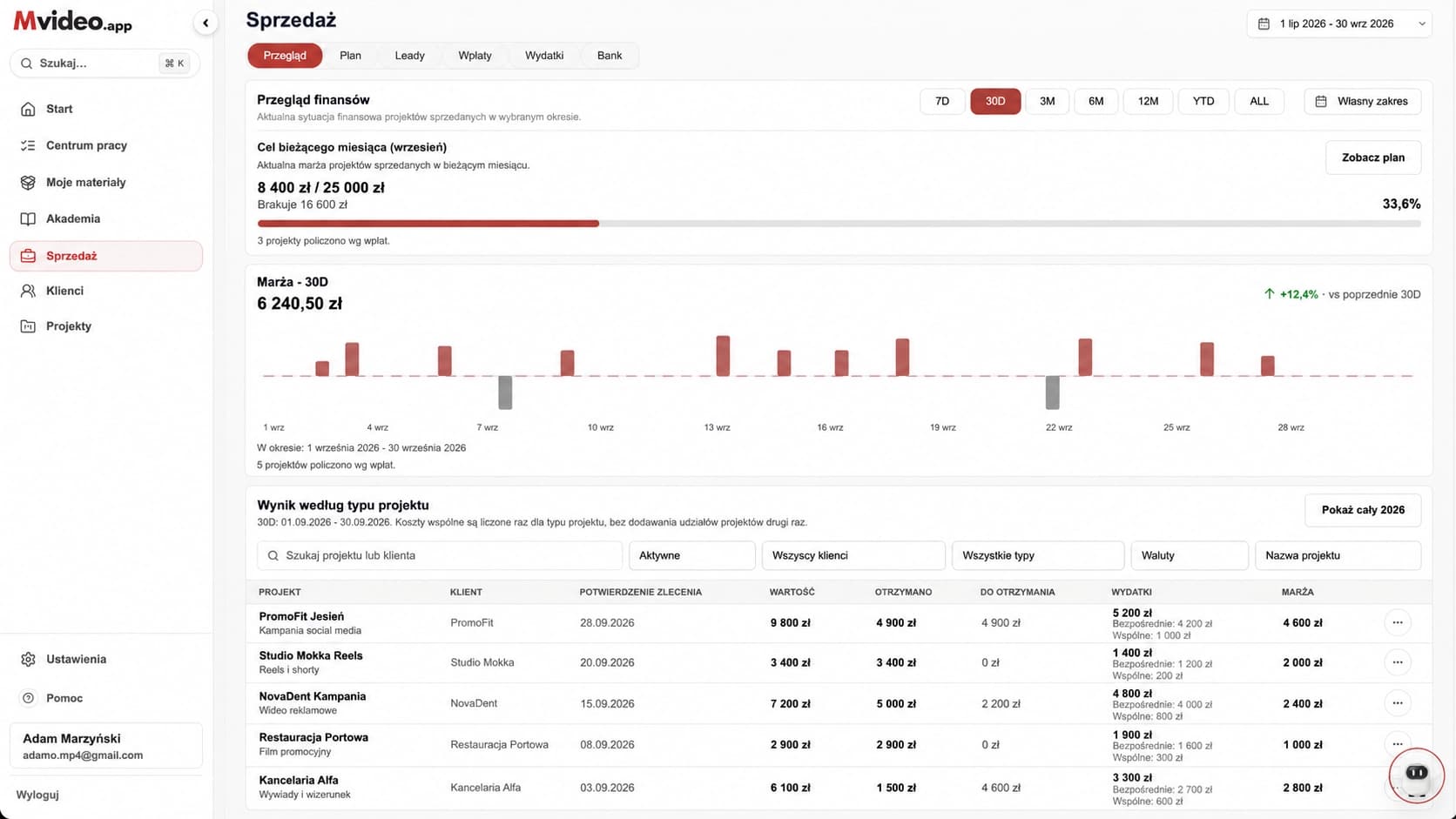
Mvideo App automatically sums order values and assigned expenses based on data you enter or import. You see payments, costs, and project results without recalculating everything.
No need to retype every transaction. Upload a CSV or XLSX file from your bank and assign transactions to projects. The app suggests matches, which you review and approve.
Easily assess which projects to repeat, where to raise prices, and what to drop.
what you have received and what is still due.
what remains after the recorded project costs.
which types of projects are worth pursuing.
The data in the graphic is for demonstration purposes.
Collaboration
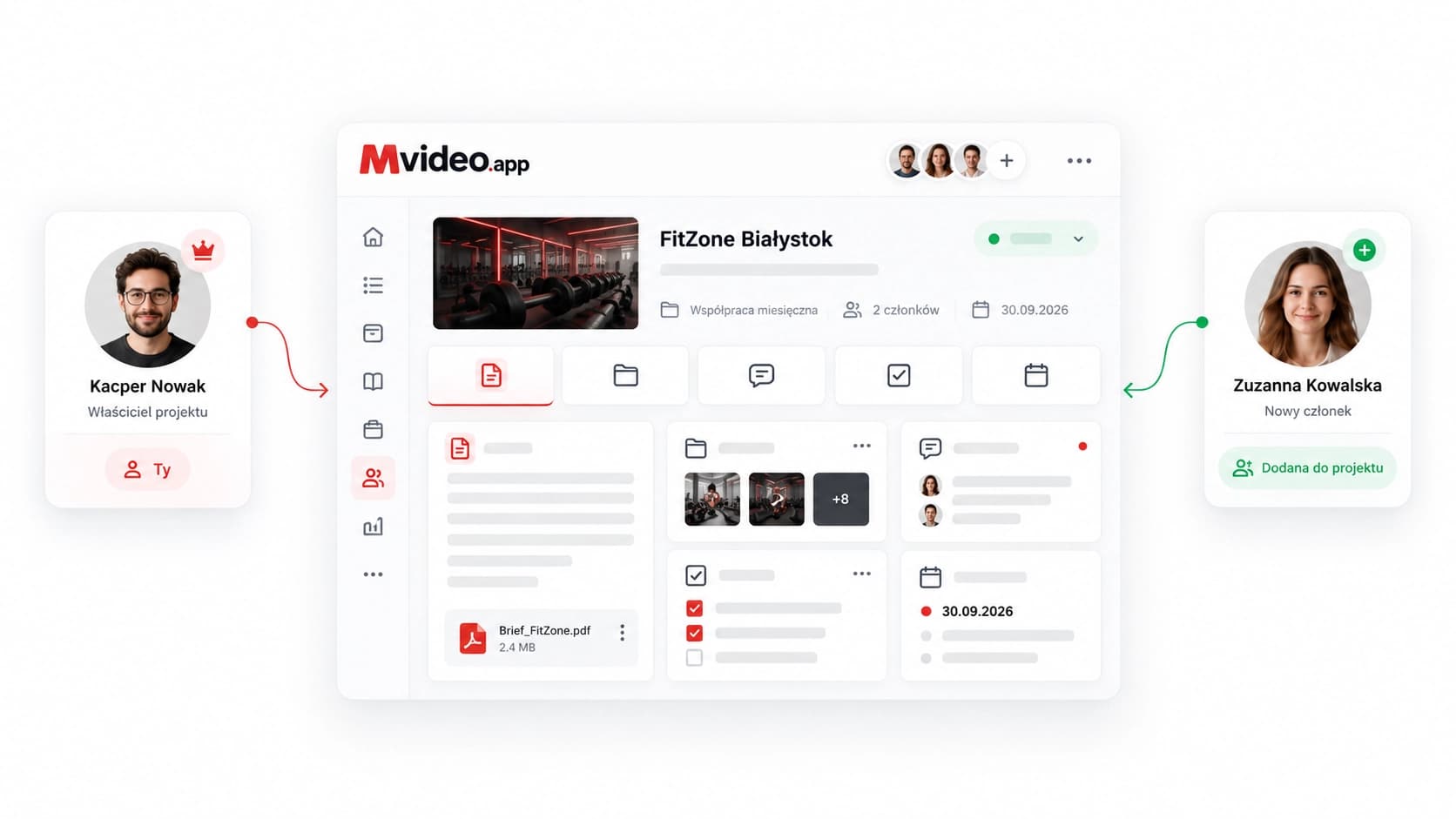
A teammate can find shared terms, files, tasks, and revisions in one place, without piecing together the context from multiple conversations.
Each person sees only what their access allows.
AI assistant · Beta
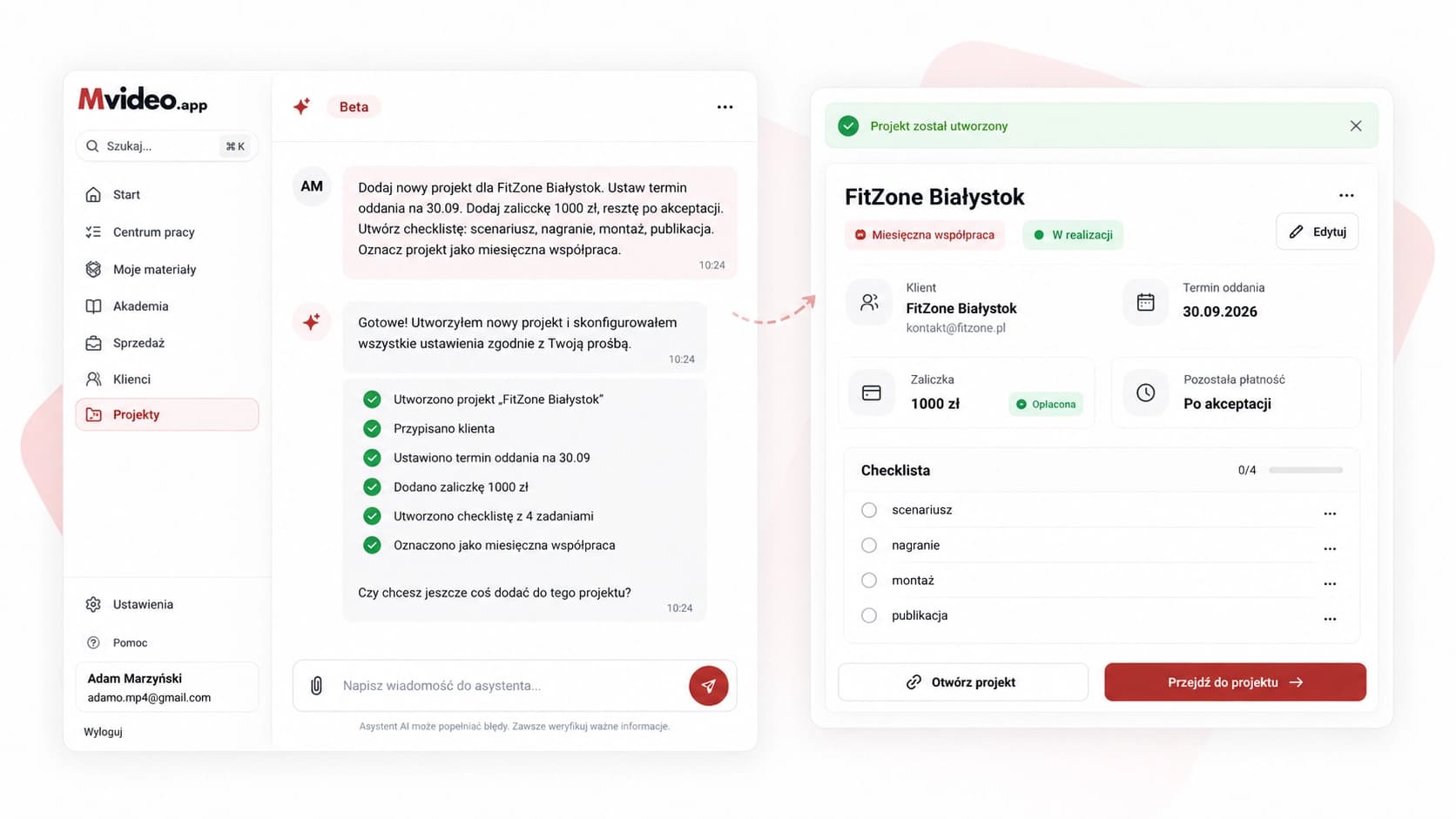
The assistant helps with selected tasks in the app. We're expanding its work with brand and project context so you don’t have to start every conversation from scratch.
Development preview
The adjacent visualization shows an advanced assistant workflow. Not all shown actions are automated in the product today.
Proposal for your approval
The assistant can prepare an action proposal, but you review its content and scope before saving changes.
Who it's for
Keep project terms and costs close at hand, so you can judge whether a similar job makes sense.
Everyone can see tasks and progress in one place, with fewer status check-ins.
Hand over a task with its files and context instead of retelling the whole project history.
Keep ideas, files, deadlines, and collaborators together.
Keep the brief, files, revisions, and payments with each collaboration.
Track progress and results for every client project.

Start with one project
From client terms, deadlines, and revisions to payments and project results.
Try it for 30 daysNo card required. Start with one project.